Kubecost is a focused Kubernetes cost optimization tool. SRExpert covers Kubernetes operations broadly: security scanning, compliance automation (SOC 2, HIPAA, PCI-DSS), monitoring, AI operations, Helm management, and alerting, in one EUR 89/month plan. Pick Kubecost if cost optimization is your only need; pick SRExpert if you want operations, security, and compliance unified, with cost awareness as part of the platform.
Free 30-day trial · full platform · no credit card
Why teams choose SRExpert
Over Kubecost
01
Full Operations Platform, Not Just Cost
SRExpert provides 7 integrated modules: workload management, security scanning, monitoring, Helm management, AI operations, alerting, and compliance. Kubecost focuses exclusively on cost monitoring and optimization. If you need to manage workloads, respond to incidents, scan for vulnerabilities, or generate compliance reports, Kubecost cannot help.
02
Multi-AI Diagnostics
SRExpert integrates 6+ AI models (Claude, ChatGPT, Gemini, Qwen, DeepSeek, OpenRouter) for intelligent root cause analysis, troubleshooting, and remediation. Kubecost has no AI capabilities for operational diagnostics. Cost optimization recommendations are rule-based, not AI-powered.
03
Built-In Compliance Frameworks
SRExpert includes continuous CIS benchmark scanning with automated mapping to SOC2, HIPAA, PCI-DSS, and ISO 27001 compliance frameworks. Kubecost provides no compliance scanning, no security benchmarks, and no regulatory framework mapping. For regulated industries, this gap is significant.
04
Smart Alerting Across All Dimensions
SRExpert's alerting engine covers security, performance, availability, and compliance, not just cost thresholds. With deduplication, correlation, 10+ channels, and on-call scheduling, teams see 70% less noise. Kubecost's alerting is limited to cost anomalies and budget threshold notifications.
05
Security Scanning & CVE Detection
SRExpert provides RBAC analysis, container image vulnerability scanning, misconfiguration detection, and CIS benchmark compliance. Kubecost has no security scanning capabilities whatsoever. You need separate tools for security visibility when using Kubecost.
06
Transparent Per-Cluster Pricing
SRExpert charges EUR 89/mo Professional and EUR 399/mo Business, plus a free 30-day trial of the full platform. Pricing is transparent and predictable. Kubecost's pricing is per-node, which can scale expensively for large clusters. With IBM's acquisition, future pricing direction remains uncertain.
5-minute setup · free 30-day trial · no credit card
Overview
How Kubecost and SRExpert differ
Kubecost has established itself as the go-to tool for Kubernetes cost monitoring. It provides detailed cost allocation by namespace, label, and team, savings recommendations, and multi-cloud cost visibility. For teams whose primary concern is understanding and optimizing their Kubernetes spend, Kubecost delivers genuine value. Its acquisition by IBM in 2023 signaled the importance of cost management in the cloud-native ecosystem.
However, cost visibility is only one dimension of Kubernetes operations. Knowing how much your cluster costs does not tell you whether it is healthy, secure, or compliant. Kubecost does not provide workload management, security scanning, compliance frameworks, AI-powered diagnostics, smart alerting, or Helm chart management. When you adopt Kubecost, you still need a full stack of additional tools for day-to-day operations.
SRExpert takes a platform approach, combining seven operational modules (workload management, security scanning, monitoring, Helm management, AI operations, alerting, and compliance) into a single interface. While SRExpert does not currently replicate Kubecost's depth of cost allocation features, it provides the operational context that makes cost data actionable. Teams that adopt SRExpert alongside or instead of Kubecost gain a unified operations platform at a transparent, predictable price point.
7Modules vs 1
EUR 89SRExpert/month
6+AI Models
Kubecost Alternative
Kubernetes Operations
Beyond Cost
AI Diagnostics
Security Scanning
Compliance
See it in action
What SRExpert has that Kubecost doesn't
Real screenshots from SRExpert: features that Kubecost simply doesn't offer.
01
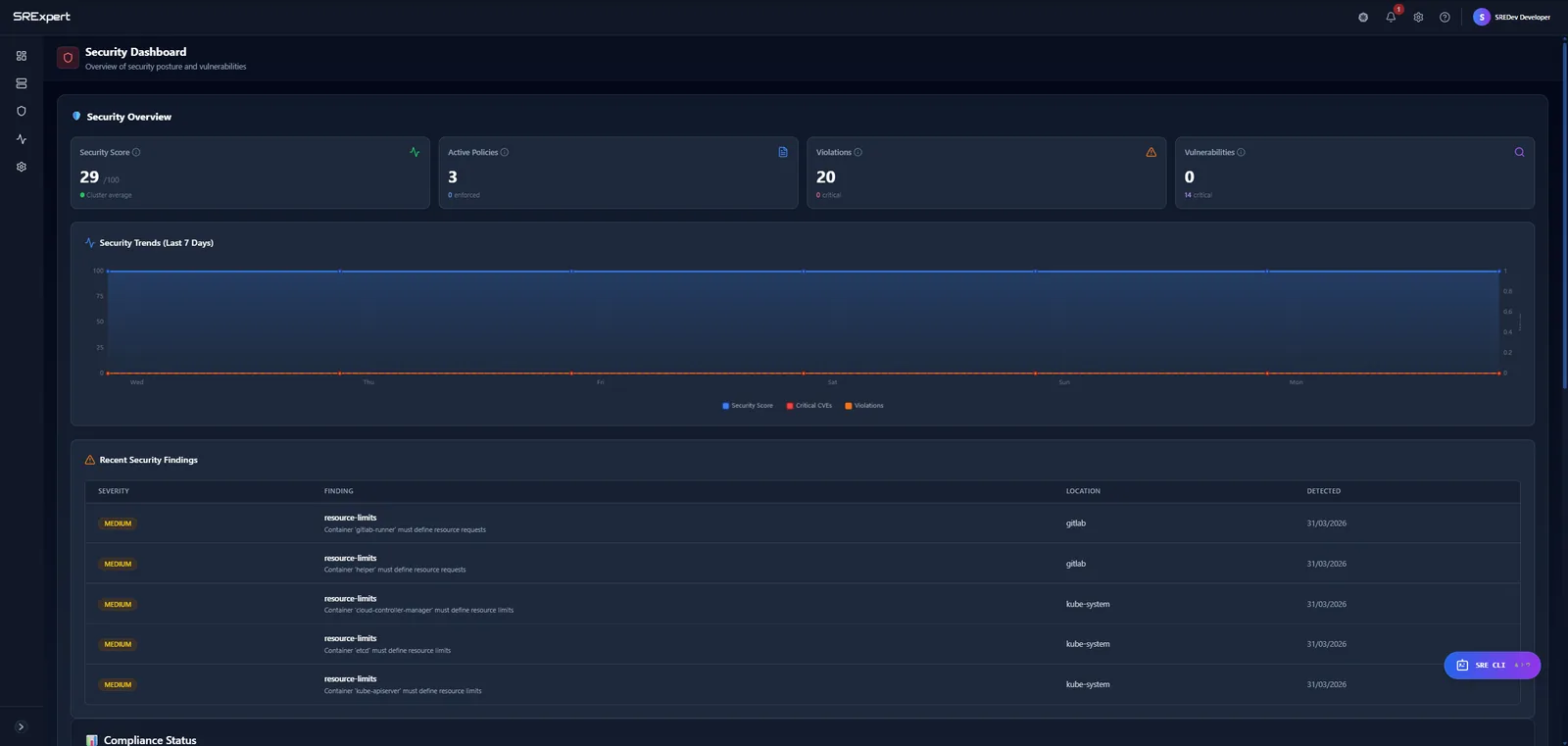
Security Dashboard & Compliance
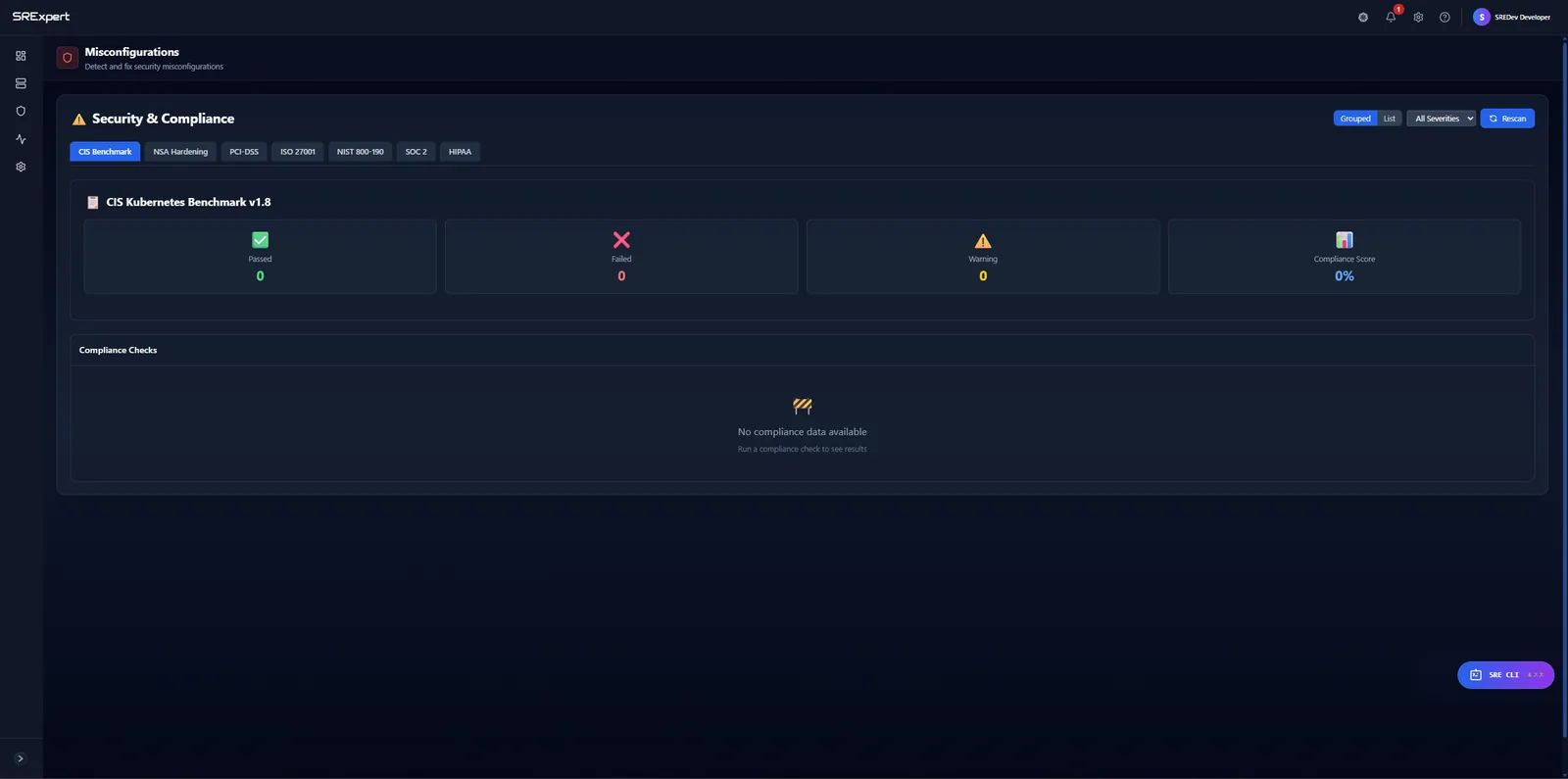
Complete security posture with CIS benchmarks, vulnerability tracking, and compliance mapping across SOC2, HIPAA, PCI-DSS, ISO 27001, NIST.
SRExpertFull security dashboard with 7 compliance frameworks
KubecostNo security scanning or compliance features
02
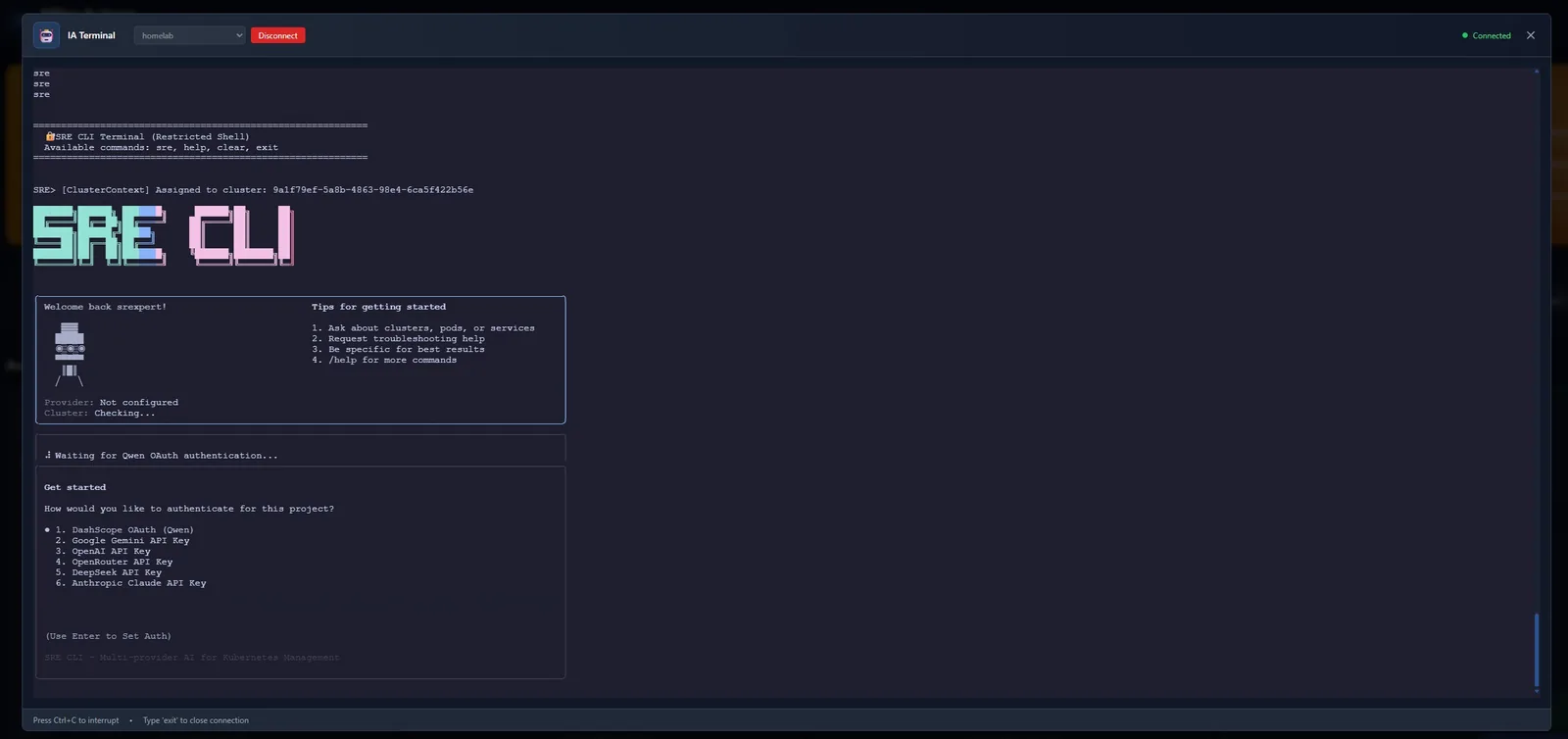
Multi-Model AI Diagnostics
Choose from 6+ AI models including Claude, ChatGPT, Gemini. Get intelligent root cause analysis and remediation suggestions.
SRExpert6+ AI models with natural language operations
KubecostNo AI capabilities for operations
03
Smart Alert Rules
Intelligent alerting across security, performance, and availability, not just cost thresholds. 10+ channels with noise reduction.
SRExpertSmart alerting across all operational dimensions
KubecostCost budget alerts only
04
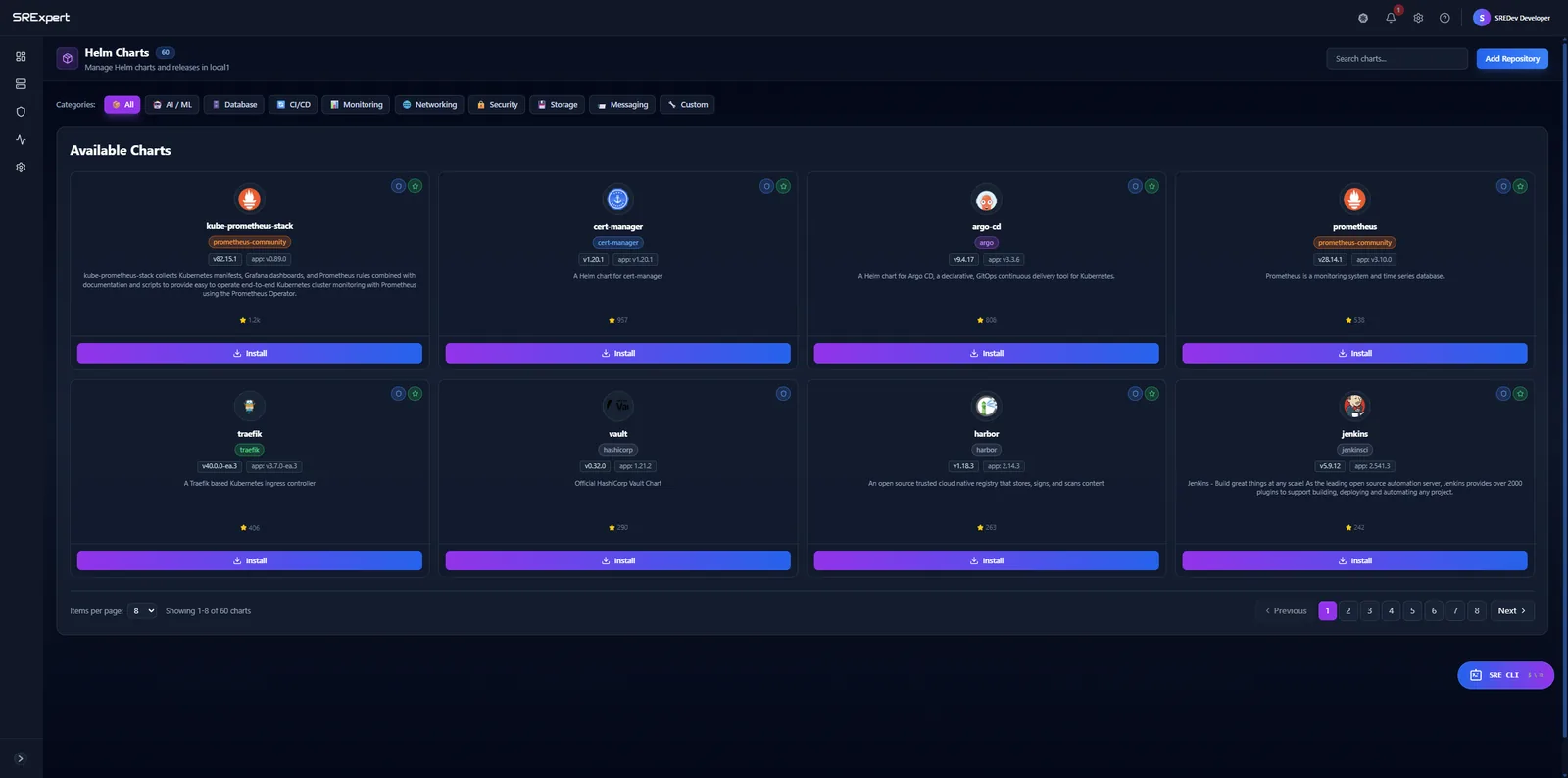
Helm Chart Management
Browse, install, upgrade, and rollback Helm charts with one click. Full version management and repository support.
SRExpertFull Helm lifecycle management
KubecostNo Helm management capabilities
05
Visual Workload Management
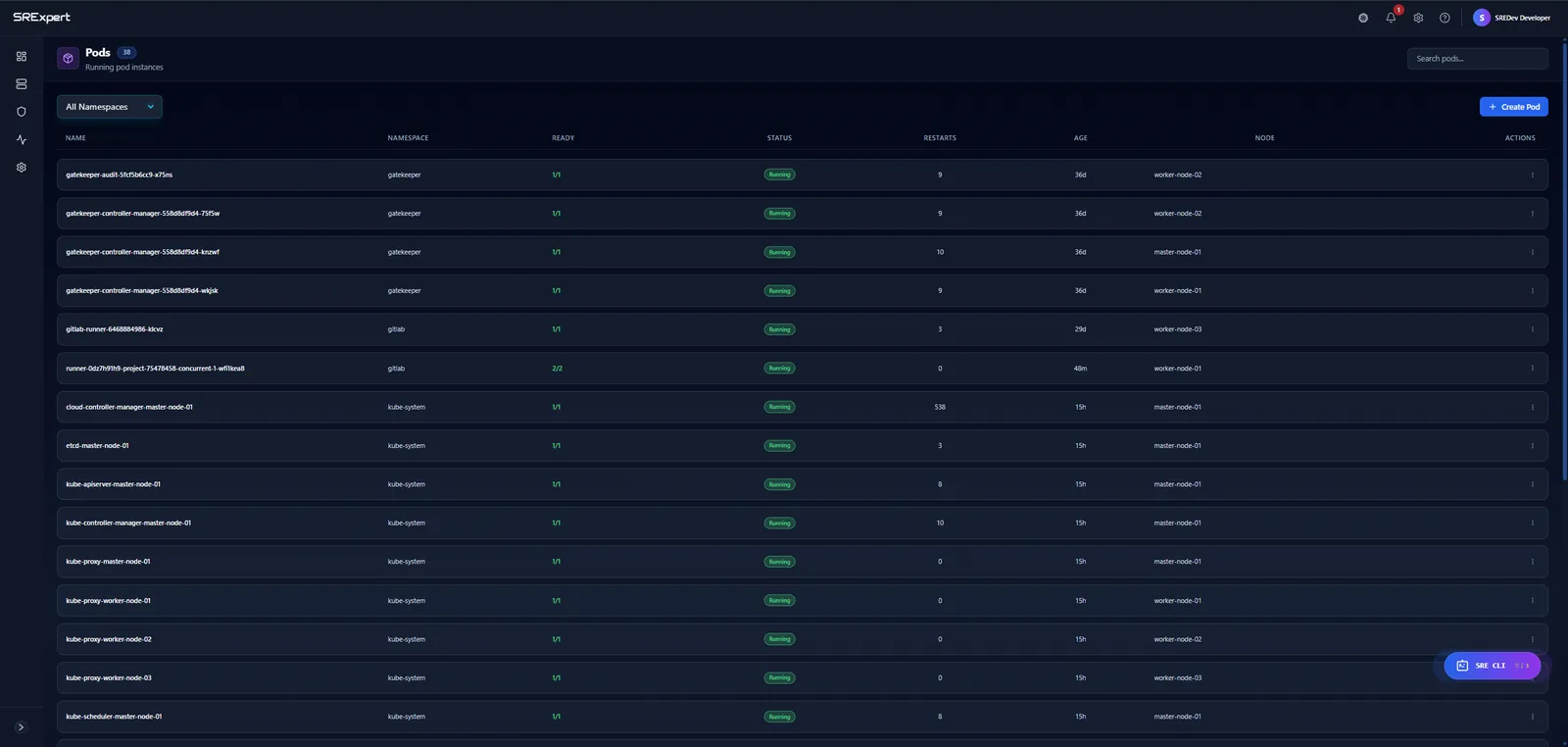
Full lifecycle management for Pods, Deployments, StatefulSets, DaemonSets, Jobs, and CronJobs with visual interface.
SRExpertVisual workload management with full lifecycle
KubecostNo workload management, cost-only view
06
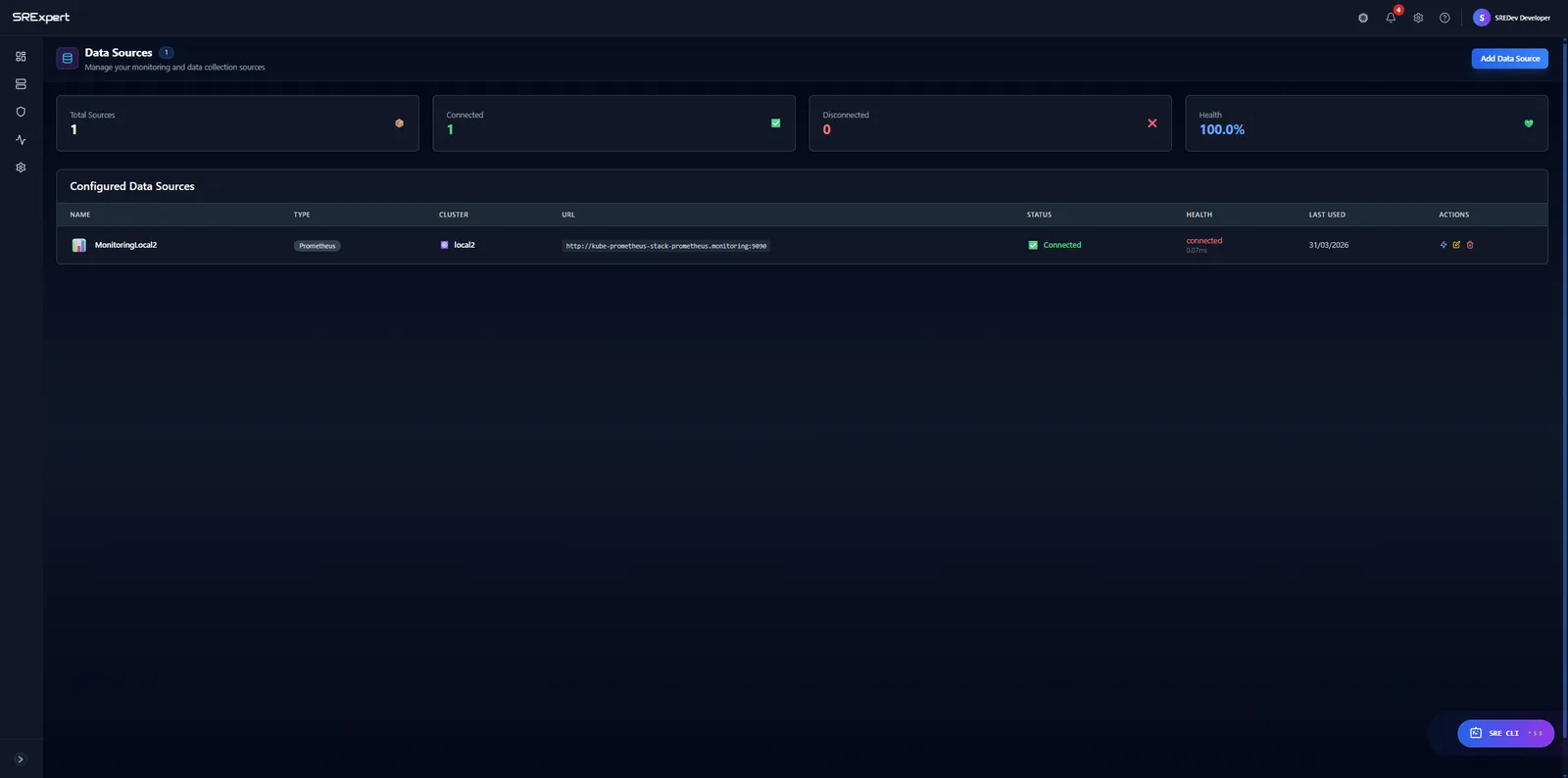
Full-Stack Monitoring
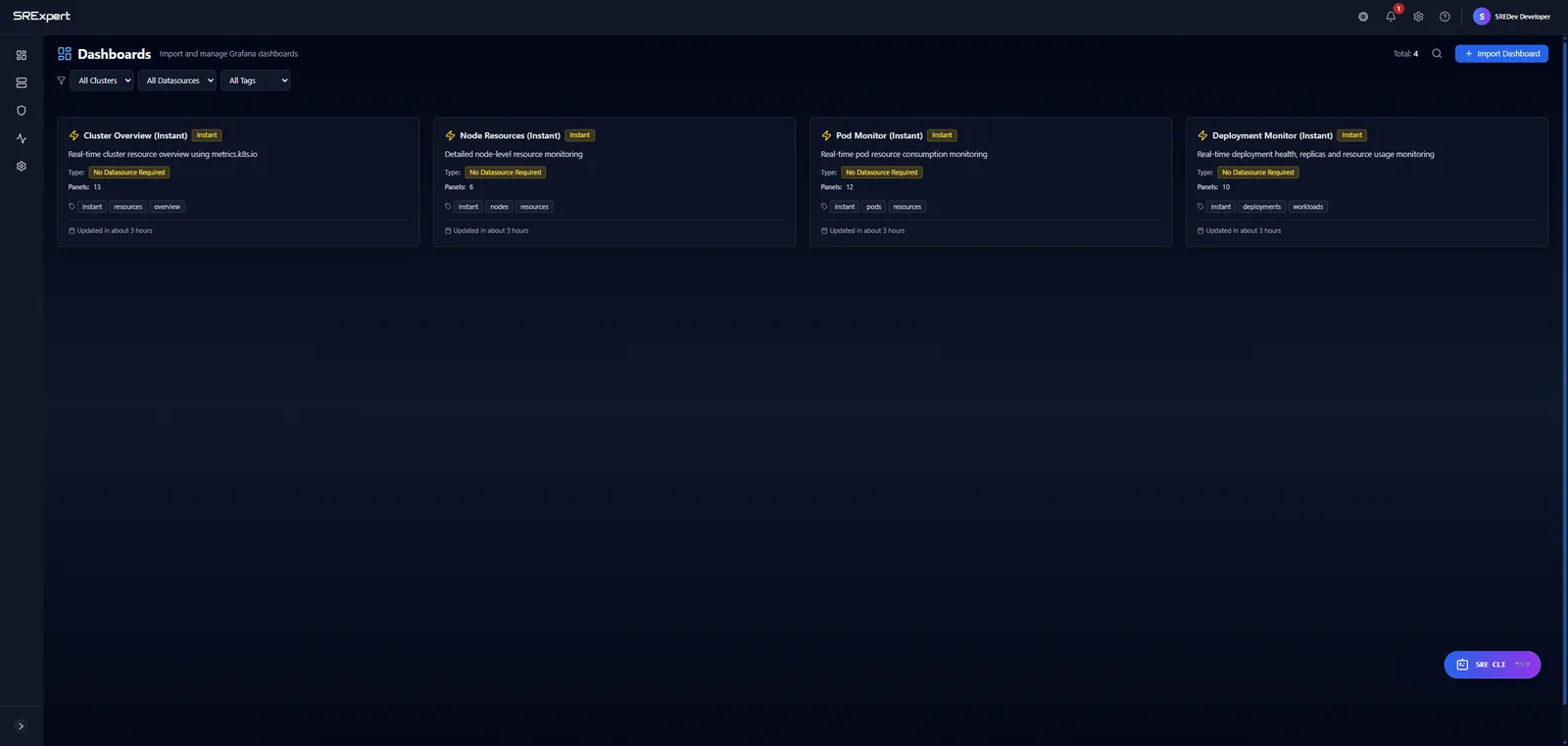
Built-in Prometheus and Grafana integration with historical metrics, trend analysis, and real-time dashboards.
SRExpertBuilt-in Prometheus + Grafana integration
KubecostCost metrics and resource utilization only
07
Compliance Reporting
Generate audit-ready compliance reports mapped to SOC2, HIPAA, PCI-DSS, ISO 27001, and NIST frameworks automatically.
SRExpertAutomated compliance reports for 7 frameworks
KubecostNo compliance reporting capabilities
08
Cluster Overview & Health
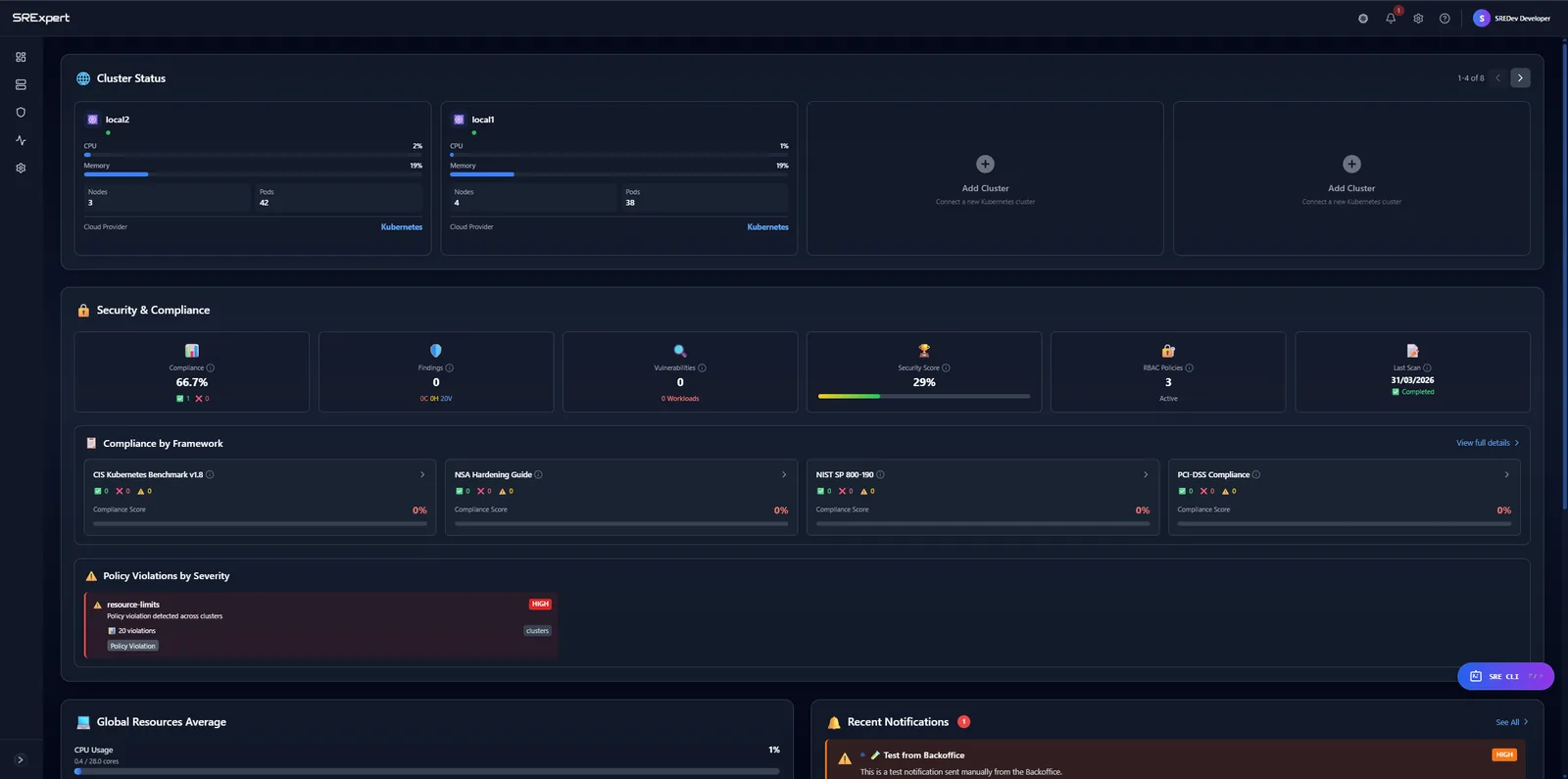
Unified view of all clusters with health scores, resource utilization, and status indicators at a glance.
SRExpertUnified multi-cluster overview with health scores
KubecostMulti-cluster cost aggregation view only
Feature comparison
SRExpert vs Kubecost
Feature
SRExpert
Kubecost
Public Pricing
Full: Yes - EUR 89/mo Professional, EUR 399/mo Business
Partial: Per-node pricing, free tier limited to 1 cluster
Free plan and trial
Full: Free Starter plan + 30-day full-platform trial, no credit card
Full: Browse, install, upgrade, rollback with one click
No: Not available
On-Call Scheduling
Full: Built-in on-call with rotation and escalation
No: Not available
RBAC
Full: Team-based RBAC with groups, SSO, audit logs
Partial: Basic RBAC for cost views
Monitoring
Full: Built-in Prometheus and Grafana integration
Partial: Cost metrics and resource utilization only
Start with SRExpert today
Cost visibility matters, but it's one piece of the puzzle. SRExpert gives you cost context alongside security, compliance, monitoring, and AI diagnostics, all in one platform. Start your free 30-day trial.
Start your free 30-day trial: full platform, no credit card. See the difference yourself.